Search this keyword

Showing posts with label blogger tools. Show all posts

Advanced WordPress Tips and Techniques

Advanced WordPress Tips and Techniques
These Advanced WordPress Tips show you some of the Advanced techniques  that you can use to perfect your blog design, your content, your search engine ranking, your traffic and so much more!
This is a must have guide for people who want to learn more about WordPress. If you have questions about WordPress there is a good chance that this guide can help you address some, if not all of those questions.
Some of the powerful topics included are:
  1. How to deal with the WordPress visual editor stripping out line breaks. How to add a line break to your post.
  2. How to Center a YouTube video (and other embedded content).
  3. How to use plugins to optimize your WordPress site for Google (SEO)
  4. How to increase interaction with your blog’s readers using WordPress plugins.
  5. How to do basic customization's to your WordPress theme AND How to use the Firefox browser and Firebug add-on
  6. How to take advantage of Feed Burner on your WordPress blog.
  7. How to exclude pages from your WordPress blog’s search.
  8. How to customize and simplify your Login page.
  9. A primer on how to use the custom menus in WordPress And much much more …
Technorati Tags: ,


Hits Buzz: Track Web Stats Automatically

Hits Buzz Banner
"This Webs Stats Software Reveals Secrets About your Web Visitors to Maximize Your Profits! "
Costs $37
But Free Here. Get it Now!


Web Stats Tracking Software Tutorial
Hits Buzz Box
Web Stats Tracking Software  Instructions:

1. After you downloaded the Hit Buzz Application to your PC double click the application and start the installation proper.

2. After successfully installing the software, check the directory where the application decide, it could be in your C:\program files\hitbuzz or different depending on where you installed it.

3. Browse to the hit buzz folder, you will find 2 folders in there, the "mysqldb" and "hits".

4. Open the folder named "mysqldb" and you will see a SQL file that allows you to create the database in your server.

5. Browse to your cPanel or what web back end application your using, click the phpMyAdmin and create a database, name it with what ever you desire. After creating the MySQL database browse the newly created database.

6. Inside the database you will see a couple of menu's on the top, structure, SQL, Search, Query, Export, Import, Operations, Privileges and Drop.

7. The only thing you will concern your self with is the Import and Priveleges Menu, Click the import Menu.

8. Inside the Import Menu you will see the file import, click the browse button and click the SQL file inside the "mysqldb" folder in your Hit Buzz directory installation, wait to successfully create the database.

9. (Optional) You can also create a user specific to access the hitbuzz application, if you skip this part you can just use the default user name and password supplied by the MySQL Sever which is, username: root and just leave the password field empty.

10. Upload the php scripts contained in the "hits" folder in another folder in your server, in this process you will need your FTP access, you can get it in your web administration panel..e.g cPanel.

11. Run the Hitbuzz application, click the "settings" button on the upper left, supply the neccesary information that the Hitbuzz ask you, provide the Site URL: MYSQL host, Database, Database User and User Password.

12. Once you completed the settings a file called "config.php" and upload this to your server in the script folder, make sure you supply the right information or else you will get an error.

13. After the Step 12, click the "Prepare Web Pages" button, you can do of two things in here, number 1, the "browse" button lets you select a folder which contains the webpages that you want to prepare for the application to insert a line of code in it. Number 2, you can just copy the code below the "browse" button and paste it in your pages if the site has already been uploaded. Once new surfers arrive to each page, you can see the tracks in the tool.


5 Important Rules in Website Design

Website Design
When it comes to your website, extra attention should be paid to every minute detail to make sure it performs optimally to serve its purpose. Here are five important rules of thumb to observe to make sure your website performs well.

1) Do not use splash pages

Splash pages are the first pages you see when you arrive at a website. They normally have a very beautiful image with words like "welcome" or "click here to enter". In fact, they are just that -- pretty vases with no real purpose. Do not let your visitors have a reason to click on the "back" button! Give them the value of your site up front without the splash page.

2) Do not use excessive banner advertisements

Even the least net savvy people have trained themselves to ignore banner advertisements so you will be wasting valuable website real estate. Instead, provide more valueable content and weave relevant affiliate links into your content, and let your visitors feel that they want to buy instead of being pushed to buy.

3) Have a simple and clear navigation

You have to provide a simple and very straightforward navigation menu so that even a young child will know how to use it. Stay away from complicated Flash based menus or multi-tiered dropdown menus. If your visitors don't know how to navigate, they will leave your site.

4) Have a clear indication of where the user is

When visitors are deeply engrossed in browsing your site, you will want to make sure they know which part of the site they are in at that moment. That way, they will be able to browse relevant information or navigate to any section of the site easily. Don't confuse your visitors because confusion means "abandon ship"!

5) Avoid using audio on your site

If your visitor is going to stay a long time at your site, reading your content, you will want to make sure they're not annoyed by some audio looping on and on on your website. If you insist on adding audio, make sure they have some control over it -- volume or muting controls would work fine.
Technorati Tags: ,

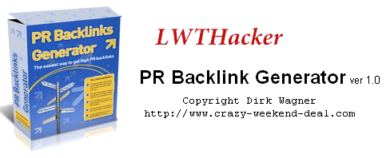
PR Backlink Generator Ver1.0

PR Backlink Generator Ver1.0
PR Backlink Generator is a Very Helpful application to increase Google Pagerank and Alexa Web Rank by getting Backlinks from High PageRanks Sites.
How to Use?
1. Download and Extract .7z file using WinRAR.
2. Now Run the Application.
3. Enter your user info and Press Save.

Info
4. Go to Keyword Tab and Enter Keyword Matching your Site. and Then press search.
5. Go to Search Result tab and select the sites with higher page rank.


6. And the Last Step, Click Start Process tab and then start posting comments! and Enjoy the Backlinks!

Create Blank Blogger Template or Blank HTML Page

Blank Blogger Template

Is it possible to create blogger Blank template or a blank html page?
yes, it is Possible and Easier to create a Blank Blogger Template.
Blogger templates are coded using the XHTML 1.0 Strict Document Type.Unlike PHP or ASP.net the rules of XML are strict and unforgiving. A slight error in code results in terrifying error messages that you often see while editing your blog template. The entire blogger template consists of widgets that are operated and managed using classes and IDs. The blog posts section itself is a giant widget that can be styled in different ways.

Steps to Create Blank Blogger Template:
1. Login to Blogger > Dashboard
2. Create a New Blog > Select Simple Blogger Template
3. Click on Drop Down Menu and choose Template
4. Now Click on Edit HTML > Proceed.
5. Delete all codes and copy & paste the below code in it
<?xml version="1.0" encoding="UTF-8" ?>
<!DOCTYPE html>
<html b:version='2' class='v2' expr:dir='data:blog.languageDirection' xmlns='http://www.w3.org/1999/xhtml' xmlns:b='http://www.google.com/2005/gml/b' xmlns:data='http://www.google.com/2005/gml/data' xmlns:expr='http://www.google.com/2005/gml/expr'>
  <head>
    <meta content='IE=EmulateIE7' http-equiv='X-UA-Compatible'/>
    <b:if cond='data:blog.isMobile'>
      <meta content='width=device-width,initial-scale=1.0,minimum-scale=1.0,maximum-scale=1.0' name='viewport'/>
    <b:else/>
      <meta content='width=1100' name='viewport'/>
    </b:if>
    <b:include data='blog' name='all-head-content'/>
    <title><data:blog.pageTitle/></title>

    <b:skin><![CDATA[/*
-----------------------------------------------
Blank Blogger Template
Name:        Blank Blogger Template
URL:         http://lwthacking.blogspot.com
----------------------------------------------- */
]]></b:skin> 
</head>

  <body>
  <b:section class='navbar' id='navbar' maxwidgets='1' showaddelement='no'>
<b:widget id='Navbar1' locked='true' title='Navbar' type='Navbar'/>
</b:section>

<div style='margin-top:700px; '>
<br/>
<center><b><font color='#ffffff'>&#169; All Rights Resrved by <a href='http://Lwthacking.blogspot.com' style="color: #ffffff">LWTHacker</a> 2013.</font></b></center>
</div> 
   
</body>
</html>
6. Now click Save Template and you will get this error  (see below)
then, Click delete button.
Warning: Your new template does not include the following widgets:
BlogArchive1 Profile1 Attribution1 Header1 Blog1
When You See the Layout of this template, It will be Blank and only it will show only the Favicon
Blank Blogger Template Preview

Customizing Blank Template:
Add Meta tags/JavaScripts/links etc. in between <head> ... </head>
Add CSS codes to style your page in between <b:skin><![CDATA[ ... ]]></b:skin>
Add Content in between <body> ... </body>
Enjoy :)
Technorati Tags:

Disable Right Click in Blogger Blog without JavaScript

Disable Right Click

Disable the right click on Blogger Blog without using any javascript. it is a simple context menu disabling HTML that will automatically prevent user from right clicking on your blog.

Instructions:
1. Go to Blogger > Template > Edit HTML.

2. Press Ctrl + F and search for <body>

3. Now replace it with the below line.
<body oncontextmenu='return false;'> 
Or if you have <body expr:class='&quot;loading&quot; + data:blog.mobileClass'> replace it with below line.
<body expr:class='&quot;loading&quot; + data:blog.mobileClass' oncontextmenu='return false;'>

4. Now just save your template and refresh your blog. now you will not be able to right click on your blogger blog.

Technorati Tags: ,,

Related Posts Plugin for WordPress, Blogger...